Platforms · Facebook
Facebook Reels Maker: Long Videos Into Captioned Reels
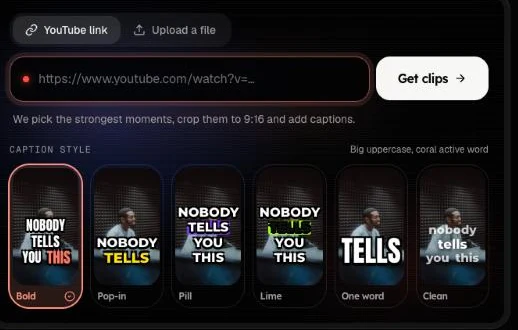
Drop a Facebook video link or upload a file, and the AI returns finished clips, not an editing timeline: moments picked, cropped to 9:16 and captioned word by word.
Free account · 15 minutes a month · videos up to 6 hours, the first 15 minutes clipped
01
Paste a link, get Reels
1. Paste a link or upload
Use the box above. Sign in with Google or an email code; no password and no card for the free plan.
2. The AI picks and reframes
It reads the transcript, picks the moments that work alone and crops each to 9:16 around the speaker.
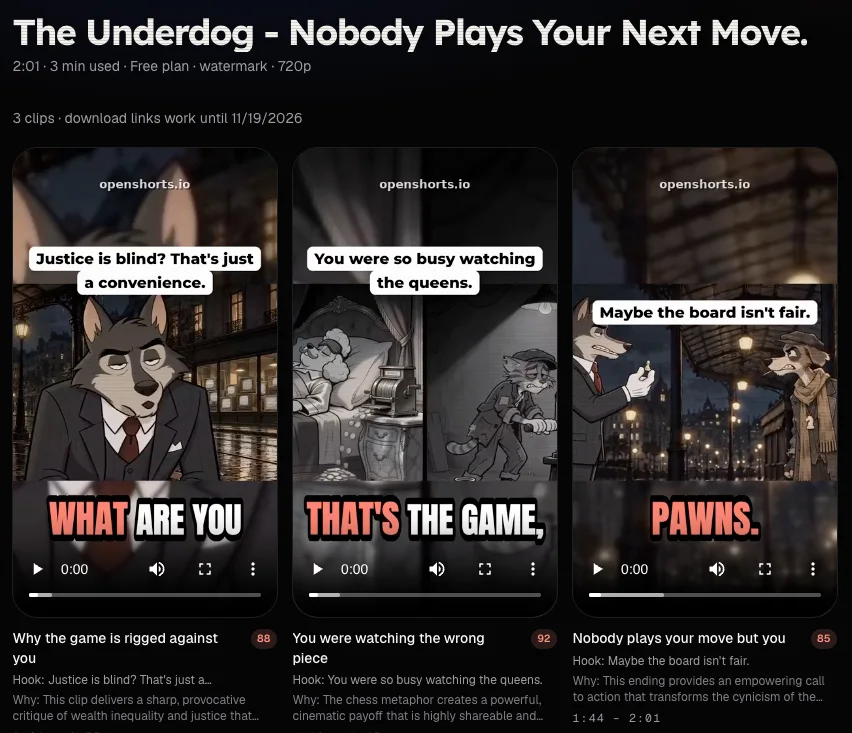
3. Preview and download
Each clip has a score, a one-line reason and a hook line. Download the ones you want.
02
What counts as a good moment, and how it is captioned
The video is transcribed with a timestamp on every word and scored window by window, so a clip starts where a sentence starts and ends where the thought ends. Each clip gets a score from 0 to 100 and a one-line reason.
Captions land word by word in one of six styles, and each scene is framed on its own: one speaker is tracked, two can be stacked, and a wide shot is kept whole over a blurred copy of itself.
03
Facebook Reels and Instagram Reels, one file
Export at 9:16, 1:1, 4:5 or 16:9; the same 9:16 file posts directly to Facebook Reels. It also fits Instagram, so you make the clips once. For Instagram, see the Reels maker.
Videos up to 6 hours are accepted on Free and up to 12 on paid plans; the first 15 minutes are clipped on Free, 120 on Starter and Plus and 180 on Pro and Ultra. Minutes are counted on the source video, and returned if processing fails. Only need another shape for a clip you already have? Use the video aspect ratio converter.
04
What it does not do
- It does not post to Facebook for you yet.
- It does not add trending sounds, B-roll or emoji.
- It does not remove copyrighted music; Facebook may mute or block it.
- It is not a template or timeline editor: it cuts a long video into clips; it does not build a Reel from stock footage.
06
Free plan and self-hosting
| Free plan | Paid plans | Self-hosted (MIT) | |
|---|---|---|---|
| Minutes | 15 a month | 120 to 1,800 a month | No cap |
| Export | 480p, watermark | 720p, no watermark | Full resolution, no watermark |
| Speed | Standard queue | Fast lane, about 3–5 minutes | Your hardware |
| Availability | May be paused | Always | Anywhere |
See pricing or the self-host guide.
06
Facebook Reels maker questions
What is a Facebook Reels maker?
A tool that gets a video ready for Facebook Reels. This one starts from a long video: the AI picks the moments that work on their own, crops them to 9:16 and burns in captions. It is not a timeline editor.
Can I use a Facebook link?
Yes. Links from Facebook, YouTube, TikTok and Instagram work, as do uploaded files. Only use videos you have the right to use.
Is the free plan always available?
Free minutes may be temporarily unavailable; see the pricing page. Paid plans always work.
What resolution do I get?
Free exports are 480p with a small watermark; paid plans export 720p without a watermark, and the self-hosted build never adds one.
Can I make clips only for Facebook?
Yes. The output is a vertical 9:16 MP4 you can post to Facebook Reels directly, and the same file also works on Instagram.
Is it a video editor?
No. You do not edit a timeline: the AI chooses the moments and you pick which clips to download.